A product demo is the moment when visitors stop and watch. Filmed well, it keeps working long after the show: on your website, in sales conversations, in distributor training. This guide covers the sequence, camera positions and sound, and when to film a separate take.
All prices plus VAT · delivered within 24 hours · See all packages & details
On the stand, a demo works because the visitor is there. They see the machine start, hear the explanation, ask a question. On video, all of that has to come across without them, often without sound, on a phone.
A good demo video therefore shows three things clearly: what the product does, how it is operated and what the result is. It is needed in several places:
A demo filmed in passing on the show day rarely serves any of these properly. One that has an hour of the day planned for it covers them all.
The most common problem with filmed demos is not the camera but a demo that has never run the same way twice. Write the sequence down before the show:
Share the sequence with the videographer in the briefing. They can then plan which step is filmed from where, and you know how often the demo has to be repeated.
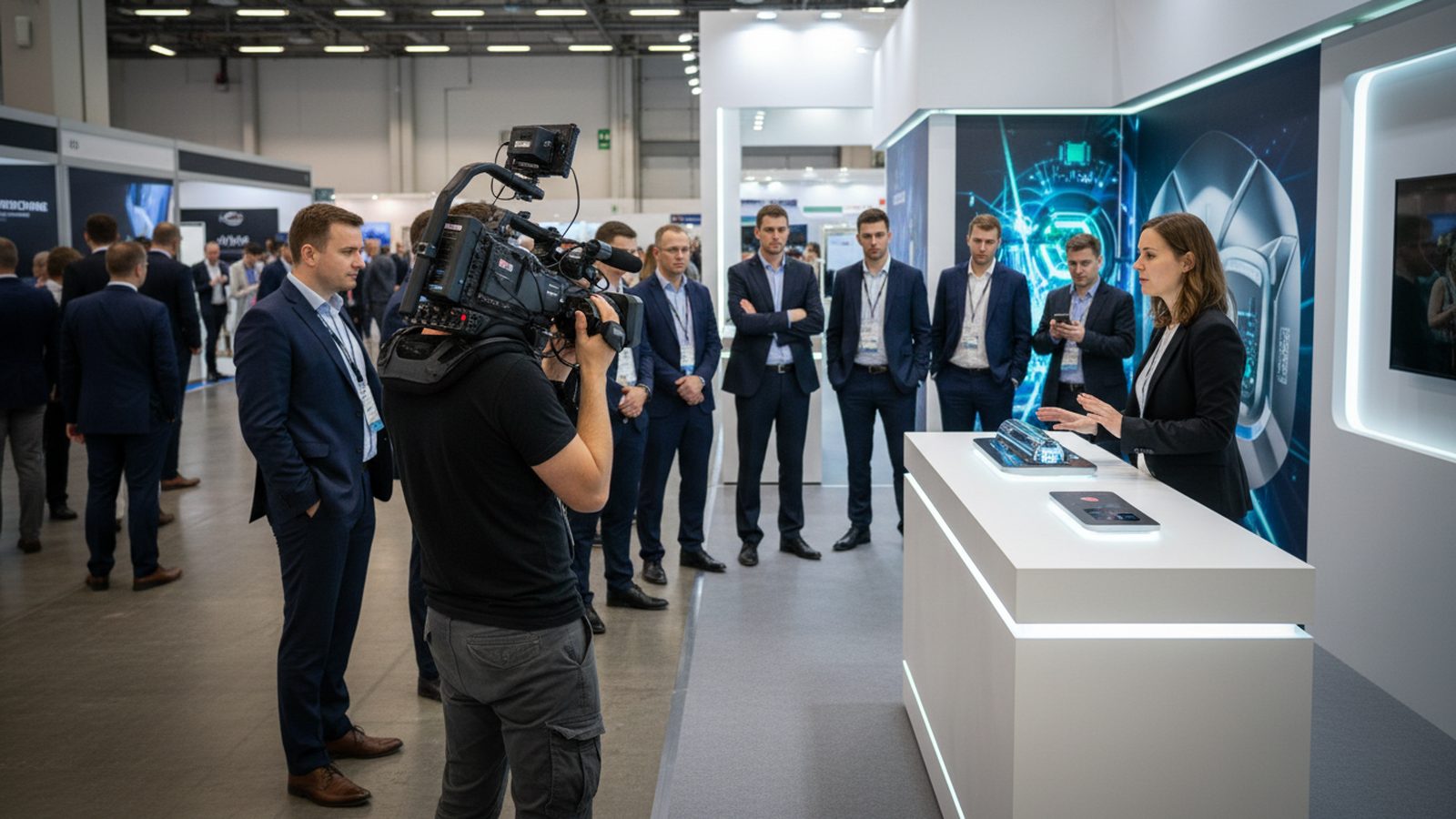
A demo filmed from a single position is hard to follow. Hands cover the controls, the result is too small to see, the presenter turns away. Three positions cover most demos:
| Position | Shows | Used for |
|---|---|---|
| Wide | Presenter, product and the stand around them | Opening, orientation, atmosphere |
| Medium, over the shoulder | Hands, controls, what the operator sees | The individual steps |
| Close-up | Detail, display, result | The moment the product delivers |
With one camera, the demo is repeated and each run filmed from a different position. With two cameras, wide and close are recorded at the same time, which helps when the demo cannot easily be repeated, for example when material is used up. Screens and displays in the frame need the right camera settings to avoid flicker; see our guide to photographing screens and LED walls.
Keep an eye on the aisle behind the product. Visitors walking through the frame are fine in the wide shot and distracting in the close-up.
Exhibition halls are loud, and a demo usually has three sound sources: the presenter, the product itself and everything around it. Each is handled differently.
Subtitles are essential in any case, since most clips are watched without sound. More on microphones and hall noise in our guide to on-stand interviews.
Two kinds of footage come out of a show demo, and the best result uses both.
Filmed before the doors open or at a quiet moment, without an audience. The stand is tidy, the presenter can repeat steps, the camera can get close. This is the footage for the product page, the sales deck and the distributors.
Filmed during the show, with people watching. It shows interest, questions and reactions, which a dedicated take cannot. This is the footage for the highlight video and social media. Visitors who are clearly recognisable should agree to appear.
A typical plan: the dedicated take on the first morning, live demos filmed in the busiest hours of the same day. The dedicated take can also happen on the build-up day if the product is ready and the lighting of your stand (booth) is already on.
Several edits can be made from one well-filmed demo:
At Pixer, demo footage feeds the highlight video and the vertical clips from the show, and with the Full Day package the 90-second film. Photos and video are delivered within 24 hours after the event ends. If you need a longer, stand-alone demo film as well, mention it when booking so that the day plan leaves time for it. For product videos filmed in a studio or at your company, see our product video production.
Five to seven steps, written down and rehearsed before the camera arrives.
Wide for orientation, over the shoulder for the steps, close-up for the result.
The presenter needs their own microphone. Product sounds are recorded separately.
Before the doors open the stand is tidy and steps can be repeated.
Visitors watching and asking questions show interest that no take can.
Full demo, 30-second cut, vertical clip and a silent loop for the stand screen.
For a demo of a few minutes, plan about an hour for the dedicated take, including setup, microphone, rehearsal and repeats from several positions. Live demos are filmed during the show on top of that.
Not always. With one camera, the demo is repeated for each position. Two cameras help when the demo cannot be repeated easily, for example when material is used up.
Someone who knows the product and speaks calmly and clearly. A short rehearsal in front of the camera quickly shows who is comfortable.
Better not. Keep the frame on your own stand and products; other stands and brands in a published video can cause problems.
Film the demo without commentary and record a voice-over later in a quiet room. Subtitles are needed anyway, since most clips are watched without sound.
Pixer delivers subtitles in English, German, Arabic and Persian. For other markets, the English subtitle file is a good basis for translation.
Planning a product demo on your stand? Send us the fair, the date and the demo sequence, and we plan camera positions and sound with you.
We reply within 24 hours. During a show week, WhatsApp is fastest.
